

Shopify Development in 2026: A Practical Guide for Store Owners
A Shopify store can look ready in a desktop preview and still be awkward to shop on a phone. A long product title might push the size selector out of view, or a shipping rule could surprise customers at checkout. Both are development problems, but they call for different fixes. One belongs in the storefront theme. The other starts with checking shipping settings and testing real cart combinations.
Shopify development is the work of building, customizing, and connecting a store so people can shop and staff can run it. Most first stores can launch with an existing theme and some careful configuration. A retailer migrating thousands of product pages or syncing stock with a warehouse faces a different job. This guide explains how to choose a build, what to put in the brief, and what to test before you launch.
What does Shopify development include?
Shopify website development usually covers the storefront customers browse, including the homepage, collections, product pages, search, and cart. Shopify ecommerce website development also includes the work required to take and fulfill an order. That can mean configuring payments, shipping rates, discounts, inventory locations, and notifications. A project can start with any one of those jobs.
For example, an apparel brand might need a size guide and clearer variant labels. A business that sells through a warehouse and a retail shop might need inventory to update across locations. Both projects improve the shopping experience, but one calls for theme work and the other calls for integration. Describe the problem in terms of what the shopper or staff member should be able to do. That gives you a better scope than asking for a full redesign.
Choose the right Shopify development approach
Start with the smallest change that meets the requirement. The table shows where the work lives and what your team will have to maintain after launch.
| Approach | Best fit | What to maintain |
| Existing theme | Standard storefront and catalog | Theme settings and app updates |
| Custom Liquid theme | Distinct layouts and editable sections | Theme code and regression tests |
| App or integration | Business rules and data sync | Permissions, failures, and API upgrades |
| Headless storefront | A separately managed frontend | Hosting, caching, SEO, and analytics |
Shopify web development with Liquid and a theme

Shopify’s official theme development documentation explains how themes use Liquid with HTML, CSS, JavaScript, and JSON. Liquid can display product information from Shopify, while templates and sections determine how a page is assembled. A developer can create a reusable product comparison section that staff can edit in the theme editor.
Give the developer two or three representative products before the design is finalized. Include one with a long title, one with several variants, and one with missing optional content. A template that works across those cases is easier to maintain than a collection of product-specific layouts.
Shopify app development for operational needs
An existing Shopify app can be a sensible choice for subscriptions, reviews, or loyalty if it fits your workflow. Custom Shopify development starts to make sense when a business rule is specific to your store. For example, a furniture seller might need its order system to send made-to-order items to a different warehouse based on lead time and region.
For a new public app, plan around the GraphQL Admin API. Shopify treats the REST Admin API as legacy. Where an integration uses webhooks, decide what happens when an event arrives twice or an update fails. Ask who gets an alert and how staff can confirm that stock and order records match across both systems.
When headless Shopify makes sense
A headless Shopify store has a separately built customer-facing frontend. It can use the Storefront API to fetch commerce data, while Shopify continues to manage the underlying catalog and checkout. Hydrogen is Shopify’s toolkit for this approach. It can make sense for teams that need a distinct frontend across several markets or want to integrate an editorial platform deeply with the shopping experience.
Budget for deployment, caching, redirects, and analytics alongside the interface. For Shopify ecommerce development on a first store, check whether a theme and a few tailored sections can give you the experience you want. That also gives staff a familiar place to edit pages after launch.
How to plan and launch a Shopify store
1. Scope Shopify development around real orders
Write down the products, markets, and order types that matter on day one. If you sell mugs singly and in sets, for example, describe how the stock count should behave when someone orders a set, returns one, or selects local pickup. Walk through those cases with the person who packs the orders. Their answers often expose requirements that a design mockup leaves out.
- List the product templates, collections, and integrations needed for launch.
- Identify which fields staff should update without a developer, such as care instructions or delivery estimates.
- Decide who checks payment, inventory, delivery, and order notifications before the store goes live.
2. Build the catalog and storefront together

Set up product variants and SKU conventions before importing the full catalog. Use Shopify metafields for structured information such as materials, care instructions, and warranty lengths. Build one product page with real images and data before applying its template across a collection. Check how the page behaves when a variant sells out or an image is missing.
During Shopify development, build and test theme changes in an unpublished theme. Check navigation using a keyboard and a phone. Make sure product images have descriptive alt text where appropriate, labels are readable, and the cart can be edited without losing the selected product options. Measure performance on representative pages before adding several third-party scripts.
3. Protect search visibility during a migration
Save a list of valuable old URLs, especially product and category pages with organic traffic or backlinks. Give each one a corresponding destination and set up permanent redirects where the address changes. A customer following an old link to a raincoat should land on the same product or a relevant collection if that product is gone.
Carry forward useful page titles, descriptions, and internal links. Check the new site’s sitemap and inspect important pages in Google Search Console after launch. Keep the redirect map available so you can quickly identify why a previously useful URL now returns an error.
4. Test checkout and verify what happens after payment
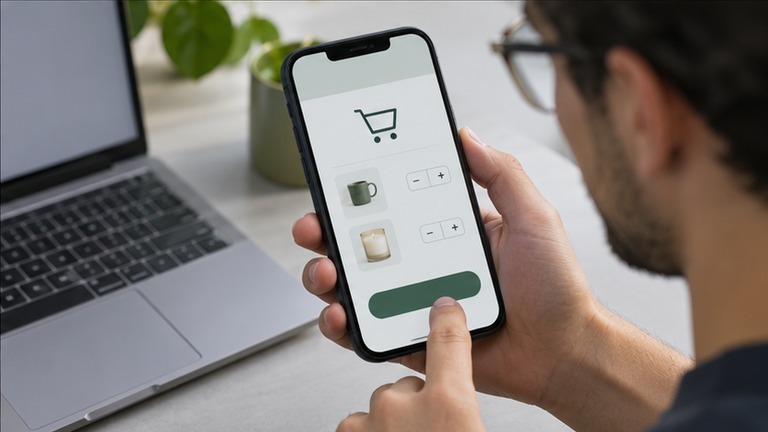
Before closing a Shopify development project, place test orders using the payment and testing options available for the store. Include a domestic address, a discount, and a cart near any free-shipping threshold. Verify the shipping charge, confirmation email, inventory update, and fulfillment record. If a checkout requirement depends on extensions, confirm that the extension and its placement are supported on your Shopify plan before commissioning the work.
After launch, keep someone available to check the first orders. A theme rollback can restore the previous storefront after a theme problem, while a catalog import or app configuration change needs its own recovery plan. Document who makes that call and where the relevant backups live.
What affects Shopify development costs?
The biggest cost drivers are unique templates, catalog cleanup, migration redirects, and features that require a custom integration. A Shopify development quote for a five-template site can change substantially if someone also has to map hundreds of inconsistent product records or connect an enterprise resource planning system.
Ask for a breakdown of design, implementation, migration, testing, and post-launch support. List recurring expenses separately, including Shopify plan fees, paid apps, and any frontend hosting. Agree on what acceptance looks like. A successful warehouse connection, for example, should handle a cancellation and a partial fulfillment as well as a straightforward sale.
Frequently asked questions
Can I build a Shopify store without coding?
Yes. The theme editor and store settings are enough for many standard catalogs. Bring in a developer when you need a section the theme cannot provide, a custom business rule, or a system integration with its own data requirements.
How long does Shopify development take?
A store with a ready catalog and an existing theme takes less work than a migration or custom build. Ask for separate estimates for content preparation, storefront implementation, and testing. Waiting for product data, images, or shipping rules can affect the launch date as much as code.
Does a custom theme improve Shopify SEO?
A custom theme gives you control over things like navigation, page structure, and performance. Search visibility still depends on useful product and collection pages, crawlable internal links, and sound migration work. Compare the current and proposed storefronts on those points before deciding how much to change.
What is a Shopify development store?
It is a store environment used to build or test Shopify work. If you are preparing a store for a merchant, confirm which setup can be handed over to them. For a live store redesign, an unpublished theme is often enough to preview and test storefront changes.
When should I hire a Shopify developer?
Hire one when a requirement spans systems, affects order handling, or has a measurable impact on the customer experience. Bring a concrete example, such as a bundle that must update stock in two places, so the developer can explain how it will be built and tested.






One Comment