
Shopify SEO Checklist for 2026: What to Fix First
A Shopify store can rank for its brand name and still miss shoppers who search for what it sells. A ceramics shop might have a dozen mugs listed, for example, but no useful collection page for “handmade ceramic mugs.” Or it might already have a strong collection that Google has yet to index. Those are different problems. The first needs a better landing page. The second needs a closer look at how Google discovers the page.
Start your Shopify SEO work with the pages most likely to help customers find and buy something. Check that Google can index them, then make each page useful for a specific search. This checklist covers what to inspect, which changes to make first, and how to tell whether those changes helped.
Start with a Shopify SEO audit of your most important pages

Pick one top collection, two products, and a buying guide if you have one. In Google Search Console, inspect the clean, public URL of each page. Compare the canonical URL declared by your store with the one Google selected, where available. Then check whether the page appears in the Page indexing report and whether it receives impressions for relevant searches.
Shopify generates a sitemap at /sitemap.xml. Submit it in the Search Console after verifying your domain. A sitemap helps Google discover pages. Indexing still depends on the page itself and how Google evaluates it. If a priority page is absent from search, check whether it is public, accessible on the primary domain, linked from somewhere useful, and eligible for indexing.
Shopify SEO priorities when the reports look confusing
An alternate URL with a proper canonical can be expected. A bestselling collection that Google has excluded deserves a closer look. Use this table to decide which issue should go first.
| What you see | Check first | Next action |
| Priority page missing | Indexing and canonical status | Fix access or discovery |
| Wrong page gets impressions | Search intent and internal links | Clarify the preferred landing page |
| Impressions with few clicks | Query relevance and search snippet | Improve title and page messaging |
| Clicks with few product views | Mobile layout and product visibility | Test navigation and merchandising |
Match keywords to products, collections, and guides
Give each important page a primary job. A collection targets shoppers comparing several products. A product page serves someone interested in a specific item. A buying guide answers a question that helps someone choose. The same word can appear naturally across all three, but the main search intent should be clear from the page.
- Collection keyword: “handmade ceramic mugs.” Include the range and explain meaningful differences such as size or finish.
- Product keyword: “12 oz blue ceramic mug.” Use specifications and photos that match the actual item.
- Guide keyword: “what size mug is best for a flat white.” Answer directly, then link to suitable products or a collection.
A useful Shopify SEO rule is to check the results for each target query before choosing a page type. If the results mostly show shopping categories, a collection is usually a stronger starting point than a blog post. Search Console can reveal where two pages receive impressions for the same query. Check what each page offers before deciding whether to change either one.
Shopify SEO tips for product and collection pages

Give each page a clear title and useful description
Write a distinct title tag and main heading for every priority page. Use terms a customer would recognize and add a distinguishing attribute when it helps. “Blue Ceramic Mug, 12 oz” does more work than “The Everyday” on its own. Write a meta description that explains what a shopper will find, such as a set of color options or care details. Google may choose different snippet text from the page.
Answer the questions customers ask before buying
Product page SEO starts with useful details. Explain dimensions, fit, materials, compatibility, care, and what comes in the box where relevant. Use your own photos and describe what each informative image shows in its alt text. Add detail where it changes a buying decision. For a handmade mug, a photo beside a hand can communicate scale better than another angle of the handle.
One of the best SEO tips for Shopify collections is to make the range easy to compare. Put the products where mobile shoppers can reach them quickly. Add a short explanation of the range and link to related collections where the relationship is useful. A guide on mug sizes can link back to the collection, while the collection can point to the guide for buyers who need help choosing.
Fix Shopify SEO issues with URLs and navigation
Keep internal links, canonical tags, and redirects aligned
A theme may link to the same product through more than one path. Inspect a few actual product links from collections and compare them with the preferred product URL in the canonical tag. Where practical, link to the preferred version and keep sitemap entries, redirects, and canonical signals consistent. Verify the result on the active theme and in the Search Console.
If you change a handle or migrate from another platform, redirect the old address to the closest relevant page. Keep an out-of-stock product page live when the item will return and the page can still help shoppers. For a permanently discontinued item, redirect if a relevant successor exists. If no page serves the same purpose, a normal 404 for a removed page can be appropriate.
Check filters and search pages before changing crawl rules
Filter combinations can produce many URLs as shoppers select sizes, colors, or sorting options. Check whether those URLs are being discovered and whether they serve any distinct search demand. A curated collection for a popular category can give you a stable landing page with a clear purpose. Review which URLs should be discoverable before editing robots.txt. Blocking crawling can prevent Google from seeing a canonical or noindex directive on a page.
Improve mobile performance and product search appearance
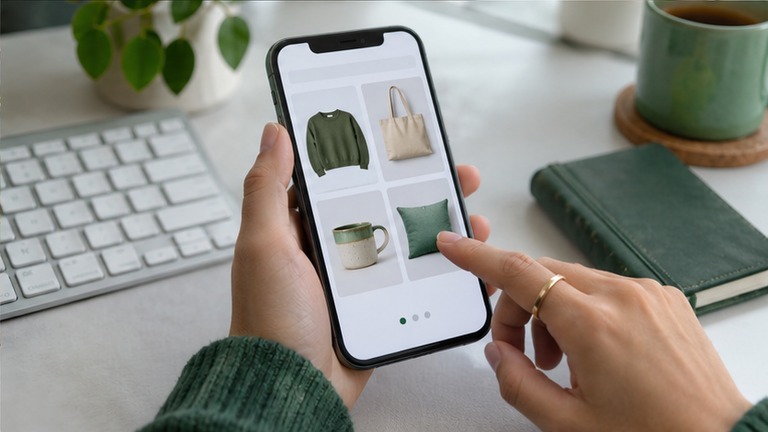
The most actionable Shopify SEO improvements often come from testing the pages people actually use. Run PageSpeed Insights on a mobile product page and a collection page. Look for a heavy hero image, a script that delays the page, or content that shifts when a banner loads. Use real-user Core Web Vitals data when enough is available, and use lab results to investigate specific problems.
- Resize large images to suit their display and keep the main above-the-fold image from being delayed by lazy loading.
- Review third-party scripts and app embeds on a duplicate theme before changing the live store.
- Check that filters, size selectors, and add-to-cart buttons work on an actual phone.
Validate Product structured data with Google’s Rich Results Test, especially after theme or app updates. Check that price and availability match what shoppers see. If you use Google Merchant Center, compare the feed with your landing pages and correct discrepancies. Google Search Central’s ecommerce SEO guidance explains how site structure and product data help Google understand a store.
Track Shopify SEO progress over the next month
Give each change a date and record the URLs it affects. In Search Console, compare impressions, clicks, and queries for the edited pages across comparable periods. In your store analytics, check which organic landing pages lead to product views or sales. Treat early changes as signals to investigate, especially if promotions or seasonal demand changed at the same time.
For the next round, choose one page with relevant impressions and a clear gap you can fix. If a collection appears for “dishwasher-safe travel mugs” but never says which products are dishwasher safe, add the missing information and make it easy to find. A related buying guide with original measurements, photos, or comparisons can also give other sites something specific to reference. The page should earn attention by answering a real question. If a supplier or trade publication already mentions your products, check where the reference sends readers. A link to the specific collection is often more useful than a homepage link.
Frequently asked questions
Is Shopify SEO built in?
Shopify provides foundations such as a generated sitemap and search listing fields. Store owners still choose targets, write useful pages, organize navigation, and investigate indexing or performance issues.
Do I need a Shopify SEO app?
Many stores can start with the built-in fields, Search Console, and their theme. An app can help with a specific recurring problem, such as managing metadata across a large catalog. Confirm that it solves the problem before installing it.
What should a beginner fix first?
If you searched for “SEO Shopify tips,” start with a collection that already has a useful range. Make sure Google can index it, link to it from the navigation, and give it a title and description that match what shoppers will find.
How long should I wait after making changes?
Google recrawls pages on its own schedule. Check indexing after significant changes, then use several weeks of comparable data to evaluate impressions and clicks. For a small store, you may need a longer period to see a reliable pattern.
Does every product variant need a separate page?
Usually, one product page can serve shoppers comparing sizes or colors. Separate pages may make sense when variants meet distinct search needs and have enough unique information to help buyers. Check which URL Google selects before making large changes.






2 Comments