Understanding ChatGOT: Its Features, Benefits, and Limitations
A chatbot can outline an article, explain a coding error, or summarize a report. The harder part is figuring out whether its answer is good enough to use. ChatGOT brings multiple AI models and tools for writing, PDFs, images, and presentations into one browser-based workspace. Its main appeal is that you can move between those tasks or try a different model without opening a separate service each time.
That flexibility can save time when you’re working with public material or putting together a first draft. The trade-offs show up when you hit a usage limit, need a source you can verify, or want to upload a file that contains private information. This guide explains what the platform does, how its free and paid plans differ, and how to compare its answers on a task you already know well.
What is ChatGOT, and how does it work?
It’s a third-party AI chatbot platform that provides access to multiple large language models through a common interface. The official product overview lists examples such as GPT-4o mini, DeepSeek R1, and Gemini 3 Pro. Treat that list as a starting point. Check the model selector in your account to see which versions you can actually use and whether a model consumes standard or advanced queries.
ChatGPT is OpenAI’s own service. An aggregator, by comparison, gives you one account for a selection of models from several providers. Using an OpenAI model through another platform comes with that platform’s interface, billing, and policies. If you use a particular feature in the original app, such as a saved workspace or an integration, check whether your proposed replacement offers it before switching.
ChatGOT features for writing, research, and everyday work
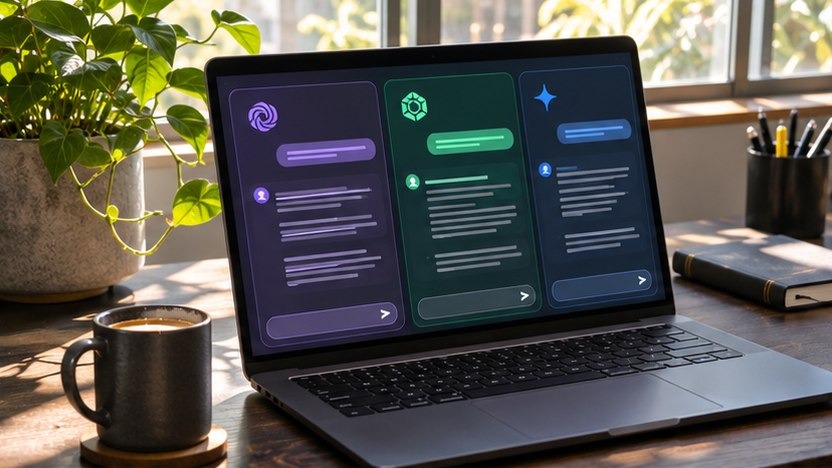
Comparing multiple AI models in ChatGOT
The fastest way to learn what each model does well is to give two available models the same prompt in fresh conversations. Include the same source text and output requirements. For example, paste a public product announcement and ask both models for three facts, one unresolved question, and a 50-word summary. Score the answers on factual accuracy, adherence to instructions, and the amount of editing needed. Two models can make the same mistake, so compare both answers with the announcement before using them.

PDF chat, web search, and AI writing
An AI PDF summarizer can help you locate a definition or extract action items from a long report. Ask it to identify the page and quote the supporting sentence. Open the PDF to confirm both. With a scanned document, a blurry figure or a table split across pages can lead to a plausible but incorrect summary. Verify dates, totals, and table headings in the original.
For research, web access can help surface sources. Open each link and check the publication date, author, and relevant passage. ChatGOT can also turn a short creative brief into outline options, newsletter subject lines, or alternate headlines. Give it the audience, one example of your house style, and any claims the draft must avoid. Ranking Magazine’s guide to AI tools for content creators covers more options for a publishing workflow.

Images, slides, and custom AI bots
The product site advertises image generation and an AI presentation maker. Use them to sketch a visual direction or structure a short deck. Before you share the result, check whether the visual reflects the brief, the slide copy fits, and any invented figures have been removed. The paid-plan comparison also lists custom AI bots. A repeatable setup can help with tasks such as turning approved notes into a weekly update with the same headings.
Benefits for students, creators, and small teams
The biggest practical gain is less time moving material between tools. A creator could start with a public report, pull out the main argument, and draft a video outline in the same workspace. A student could turn a reading into practice questions and check each answer against the chapter afterward. Small teams can use the writing assistant for routine drafts whose tone and format are already defined.
- Students can ask for another explanation of a difficult idea or generate practice questions from their own notes.
- Content creators can brainstorm titles and turn approved research into scripts, outlines, or social copy.
- Developers can ask for an explanation of a short code sample or a failing test, then verify the suggestion locally.
- Business teams can turn public meeting notes or approved briefs into a draft agenda, presentation, or follow-up email.
Pick one weekly task and time it from start to finish, including revisions. If a summary takes 30 seconds to generate and 20 minutes to correct, your time log will show whether the workflow saves anything.
ChatGOT pricing and free plan limits
The official pricing page lists these rates and query allowances. Confirm the price, billing period, and tools at checkout, especially if you depend on a specific model. Advanced queries, image credits, and slide credits are separate allowances.
| Plan | Listed price | Standard queries | Advanced queries |
| Free | $0/month | 10 per day | — |
| Pro | $9.90/month | 6,000 per month | 400 per month |
| Max | $15.90/month | 8,000 per month | 500 per month |
Start with a standard task you expect to repeat, such as rewriting a project update. If you need to chat with PDFs or use real-time web access, check what your account includes. The pricing page lists these capabilities for paid plans. Before subscribing, estimate how many advanced queries you use on a typical assignment. Include follow-ups and rewrites, since a single finished document may take several requests.
ChatGOT limitations and privacy considerations
Confident answers can still be wrong
A fluent response can contain an outdated price, a made-up source, or an error hidden in an otherwise accurate explanation. NIST’s generative AI risk profile calls this kind of confidently presented error confabulation. For anything you plan to publish, check quotes, named sources, and numerical claims against the original materials. For coding help, test the suggested change with realistic inputs, including the one that caused the problem.

What happens to your chats?
The platform’s privacy policy says conversation content is stored in encrypted form on its servers. It also describes website analytics and says data is kept as long as necessary for the stated purposes. That wording offers no fixed deletion timeline for every file or prompt. If you work with client records, internal financial reports, or unpublished contracts, check your organization’s software rules and the provider’s terms first. A short anonymized excerpt or a mock document can often answer the same question.
When a dedicated AI tool makes more sense
If most of your day is spent on one job, compare how well a specialist handles the entire workflow. A dedicated coding assistant may be more convenient if it works inside your editor and can reference the relevant project files. A research tool with clear source discovery may suit people who need to audit citations frequently. If you mainly rely on one model, compare its provider’s app with the aggregator for that model’s current version, file limits, and account controls.
How to get started with ChatGOT
- Open the web chatbot and choose a model available on your plan. Start with a public or sample document if you want to try a file workflow.
- Give it a narrow assignment. For a public report, ask for the main finding, two supporting facts, and any caveat the author includes. Ask for page numbers when you provide a PDF.
- Compare the result with the source and track what you had to fix. If an answer reads well but leaves out an important qualification, add that check to the prompt you save for next time.
Keep the prompt and a corrected sample answer together. The next time you compare models, you’ll have a baseline for judging factual accuracy and editing time.
The platform makes the most sense for people who regularly switch between writing, document review, and brainstorming. Test it with work you already do and count the time you spend checking the result. That tells you more about its value than the number of models on the product page.
Frequently asked questions
Is ChatGOT the same as ChatGPT?
They are separate services. ChatGPT is provided by OpenAI. The multi-model platform offers access to selected models from different providers and has its own plans and tools.
Can I try it without signing up?
The homepage advertises a browser chat you can start without signing up. The pricing page lists 10 standard queries a day on Free. Confirm what’s available in your session before counting on a specific model or tool.
Can it summarize long PDFs?
It offers PDF chat and summarization tools. Test an example file with a similar size and layout before subscribing, especially if you often work with scanned pages or complex tables.
Does web access make the answers reliable?
It can help find relevant sources. Verify that each source supports the claim, and check its date if the answer depends on current information.
Is a paid plan worth it for occasional users?
Try the free tier for basic drafting and brainstorming. A paid plan is easier to justify when you use advanced queries, PDF chat, or slide generation often enough to save measurable time.






One Comment